
Korea eSIM for Tourists 2026: With Phone Number vs Data Only, Unlimited Data and Setup

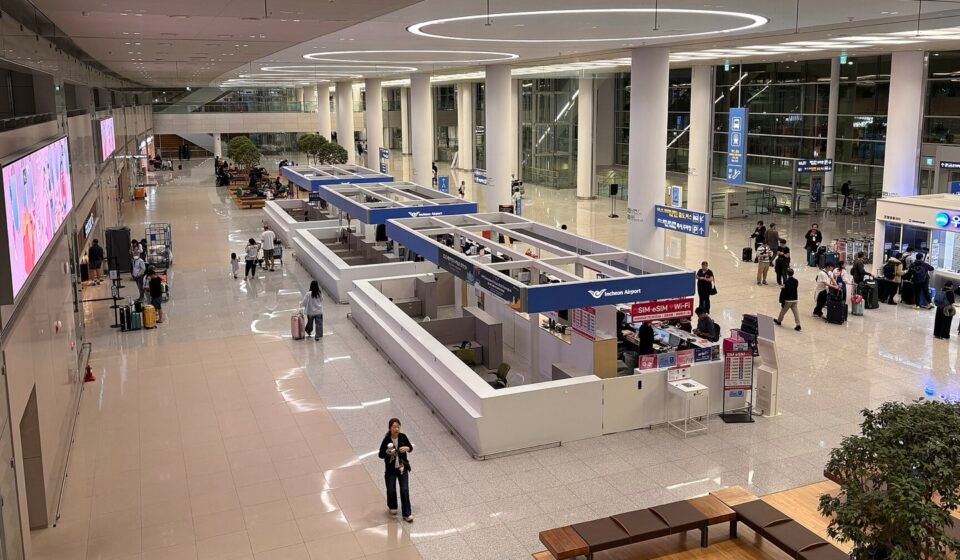
Walk out of arrivals at Incheon Airport and one of the first things you’ll see is a row of counters selling SIM cards, eSIMs and pocket Wi-Fi. Most travelers now skip the queue and install an eSIM before they fly. The real question is which kind: a cheap data-only eSIM, or one that also gives you a Korean phone number?
That choice matters more in Korea than in most countries, because taxi apps, restaurant bookings and delivery apps often send a text code to a Korean number. This guide compares the options using the official tourist eSIM pages of SK Telecom, KT and LG U+, Korea’s three mobile carriers.
Quick answer
- Data only is cheapest (SK Telecom’s 1-day LTE plan is ₩6,500) and fine if you just need maps, messaging apps and the internet.
- With phone number: choose a “Data + Voice + Text” eSIM if you want a Korean 010 number for taxi or restaurant app codes.
- Unlimited data: the carriers’ tourist plans are unlimited, with speed control on some plans.
- Before you buy: your phone must support eSIM and be carrier-unlocked. Dial *#06#; if you see an “EID”, it supports eSIM.
- Limits: tourist eSIMs are for stays of up to 90 days and can’t be used for Korean banking or government identity checks.
Korea eSIM: Data Only vs. With Phone Number
Every Korean tourist eSIM falls into one of two types:
| Data only | Data + Voice + Text | |
|---|---|---|
| Internet | Yes | Yes |
| Korean phone number | Usually no (KT’s data eSIM can receive calls and texts after an entry check) | Yes, a 010 number |
| Text codes from Korean apps | Usually no | Yes, for many taxi and restaurant apps |
| WhatsApp, FaceTime, KakaoTalk calls | Yes (over data) | Yes |
| Passport check | Not needed | Needed to receive calls and texts |
| Price | Lowest | A little more |
LG U+ explains the difference clearly in its FAQ. With voice and text, you can receive text verification codes for restaurant and taxi reservation apps. With a data-only eSIM, text verification isn’t available. Neither type works for the identity checks used by Korean banks and government services.
One more thing to decide up front: if you buy data only, you can’t add calls later. LG U+ and KT both say a data-only plan can’t be topped up for voice.
Korea eSIM for Tourists: The Three Carriers Compared
SK Telecom (SKT)
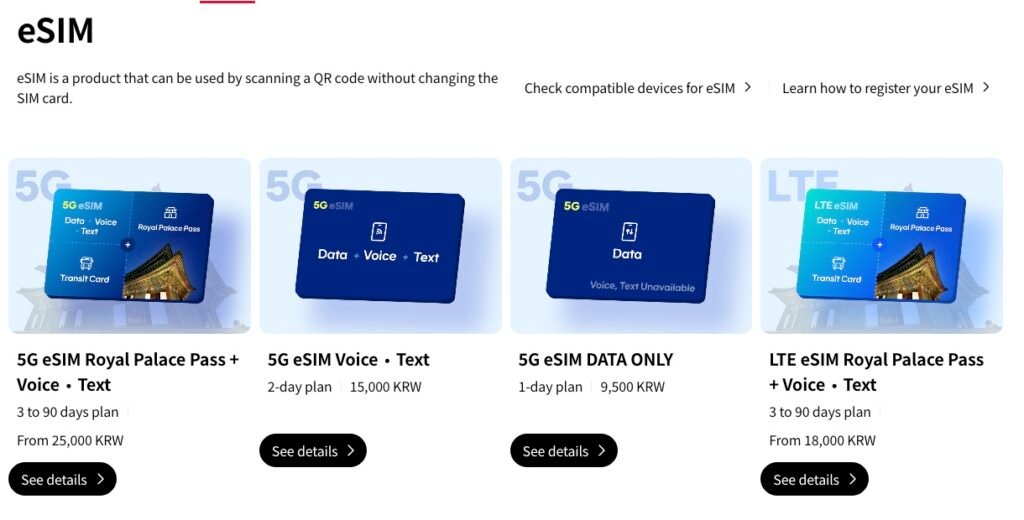
Prices from SK Telecom’s official roaming site (skroaming.com) in November 2026:
| Plan | LTE | 5G |
|---|---|---|
| Data only (1 day) | ₩6,500 | ₩9,500 |
| Data + Voice + Text (2 days) | ₩12,000 | ₩15,000 |
| Royal Palace Pass + Voice + Text (3–90 days) | from ₩18,000 | from ₩25,000 |
All plans include unlimited data (LTE at up to 100 Mbps). The “Royal Palace Pass” plans add free entry to palaces such as Gyeongbokgung, Deoksugung and Jongmyo, plus a T-money transit card. On voice plans, incoming calls and texts are free once your passport is verified. Outgoing calls cost ₩4.4 per second and texts ₩33 each, paid from a top-up balance.
KT
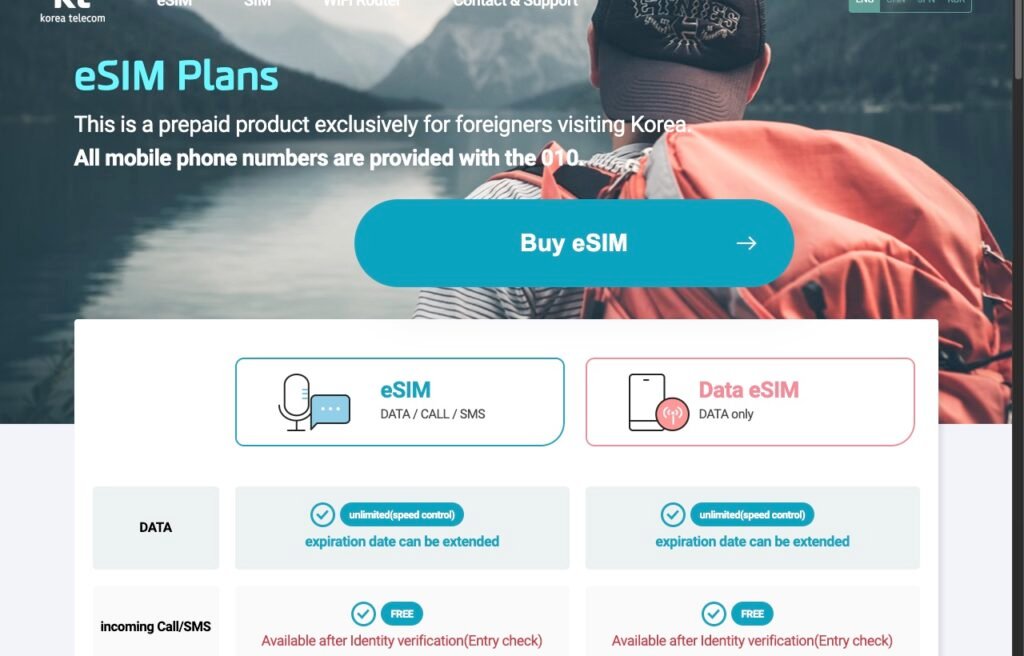
KT sells a “Data / Call / SMS” eSIM and a “Data only” eSIM for foreign visitors, in periods from 2 to 90 days. KT states that all its tourist mobile numbers start with 010, and that data is unlimited with speed control. Incoming calls and texts work after an identity (entry) check. A few rules worth knowing: install the eSIM within 90 days of buying it, never delete it after installing (KT won’t issue a new QR code), and pay with a card issued outside Korea.
LG U+
LG U+ also sells data-only and data-plus-voice eSIMs for travelers, which you can buy before your trip and use only in Korea. Its FAQ notes that its eSIM doesn’t work on Google Pixel or OPPO phones, so check this if you use one.
Korea eSIM With Phone Number: How the 010 Number Works
With SK Telecom and KT voice plans, the data works as soon as you land, and the phone features unlock in two steps:
- Passport (entry) verification. Once you’re in Korea, verify your passport at the carrier’s airport roaming center. SK Telecom also lets you do it through the email voucher. After that, incoming calls and texts work.
- Top up for outgoing calls and texts. Add credit if you want to call or text out.
Most visitors only need to receive codes, so verification alone is usually enough.
Unlimited Data, Hotspot and Speed
- Unlimited data: all three carriers sell unlimited tourist plans. SK Telecom’s LTE plans run at up to 100 Mbps, and KT’s say “unlimited (speed control)”.
- 5G vs. LTE: 5G costs a few thousand won more. LTE is plenty for maps, video calls and social media.
- Hotspot: LG U+ says tethering works with its eSIM. If it doesn’t connect, restart your phone. Handy if you’re traveling as a couple with one plan.
How to Set Up a Korea eSIM, Step by Step
1. Check your phone
Dial *#06#. If an “EID” number appears, your phone supports eSIM. Make sure it’s also carrier-unlocked (no country lock). Ask your home carrier if you’re not sure. The Korean carriers say a locked phone won’t work, and refunds depend on their terms.
2. Buy online and get the QR code
Buy on the carrier’s official site or a travel booking platform. You’ll need your name exactly as in your passport, your passport number and an email address. The QR code arrives by email.
3. Install it on Wi-Fi before you fly
On iPhone, go to Settings → Mobile Service (Cellular) → Add eSIM and scan the QR code. On Android, look under Settings → Connections → SIM manager → Add eSIM; menu names vary by brand. You need an internet connection to install. Leave the new line switched off until you land.
4. Switch it on when you land
Turn on the Korean eSIM, set it as your mobile data line, and turn on data roaming for that line if your phone asks. Keep your home SIM on for calls if you like, but turn off its data roaming to avoid charges.
5. Verify your passport (voice plans only)
Stop by your carrier’s roaming counter in the arrivals hall, or follow the email instructions, to unlock incoming calls and texts on your 010 number.
📱 Want your eSIM sorted before you fly?
Book a Korea eSIM with a QR code by email, and pick up a WOWPASS for transit and card payments when you arrive.
Booked via Klook · Affiliate link · Disclosure
Which Korea eSIM Should You Get?
- Short city break, maps and messaging only: data only.
- You’ll book taxis, restaurants or tours through Korean apps: Data + Voice + Text, for the 010 number.
- Seoul sightseeing for several days: SK Telecom’s Royal Palace Pass plan bundles palace entry and a T-money card.
- Your phone doesn’t support eSIM: buy a physical SIM card at the airport counter, or rent pocket Wi-Fi.
Tips for Travelers Over 50
- Install at home. Scanning a QR code on your hotel or home Wi-Fi is far less stressful than in a busy arrivals hall. Keep the QR email but don’t delete the eSIM once it’s installed.
- Take a screenshot of the QR code on a second device, such as a partner’s phone or a tablet, in case you need help from the airport counter.
- Label your lines. Rename them “Home” and “Korea” in settings so you always know which one is using data.
- Get the rest of your arrival sorted too: the Korea e-Arrival Card, a K-ETA if your nationality needs one, and a WOWPASS for transit and payments.
Frequently Asked Questions
What is the best eSIM for Korea for tourists?
It depends on whether you need a Korean phone number. For internet only, a data-only eSIM is cheapest. If you’ll use Korean taxi or restaurant apps that send text codes, choose a Data + Voice + Text eSIM from a Korean carrier such as SK Telecom, KT or LG U+.
Can I get a Korea eSIM with a phone number?
Yes. The carriers’ Data + Voice + Text tourist eSIMs come with a Korean 010 number. KT states that all its tourist numbers start with 010. Incoming calls and texts work after passport verification in Korea.
How much is a Korea eSIM?
On SK Telecom’s official site, a 1-day data-only LTE eSIM is ₩6,500, a 2-day Data + Voice + Text LTE eSIM is ₩12,000, and multi-day Royal Palace Pass plans start from ₩18,000 (November 2026).
Is Korea eSIM data unlimited?
The carriers’ tourist plans are unlimited. SK Telecom’s LTE plans run at up to 100 Mbps, and KT’s plans are unlimited with speed control.
Does a Korea eSIM work on my iPhone?
Most recent iPhones support eSIM, but the phone must be carrier-unlocked. Dial *#06#: if an EID appears, your phone supports eSIM.
Plans, prices and rules were checked on the official tourist eSIM pages of SK Telecom (skroaming.com), KT (roaming.kt.com) and LG U+ in November 2026 and may change. Tourist eSIMs are intended for stays of up to 90 days.
Discover more from after52life.com
Subscribe to get the latest posts sent to your email.